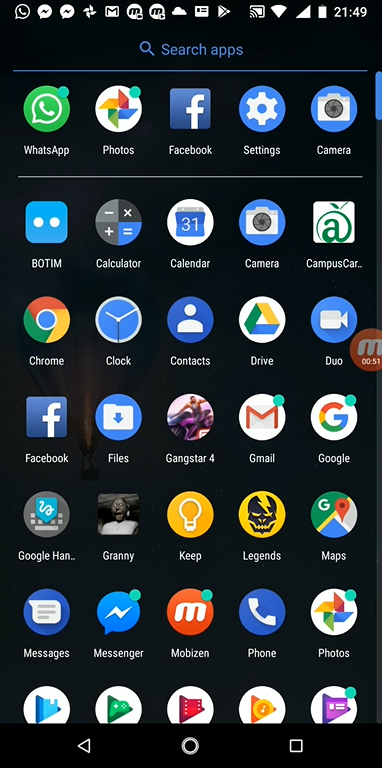
Step 1: Go to "Settings"
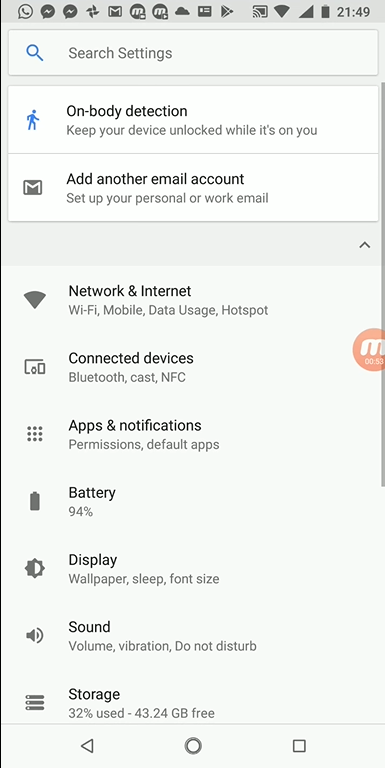
Step 2: Now go to Apps and Notifications
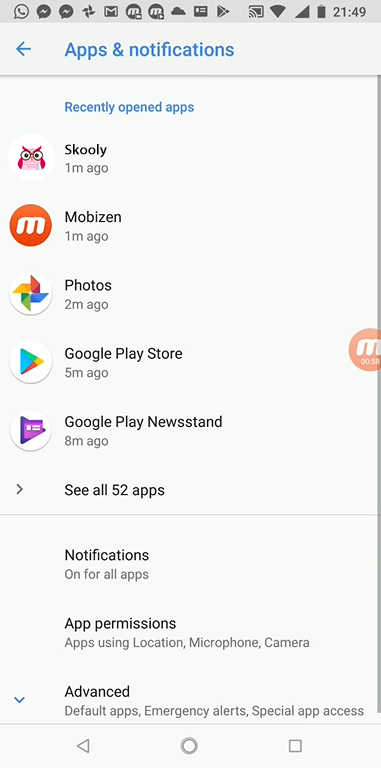
Step 3: Click on Skooly
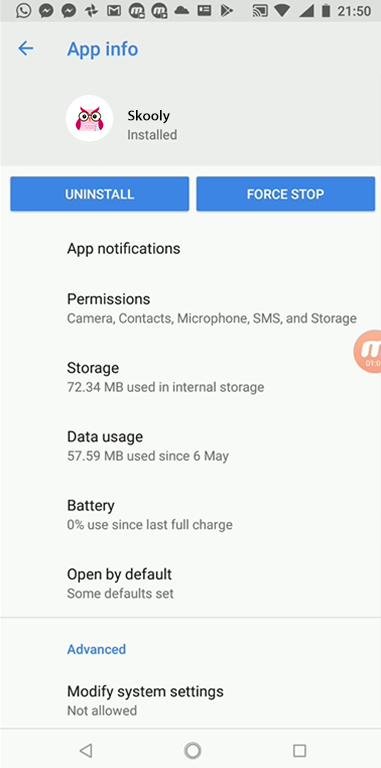
Step 4: Click on "App Notifications"
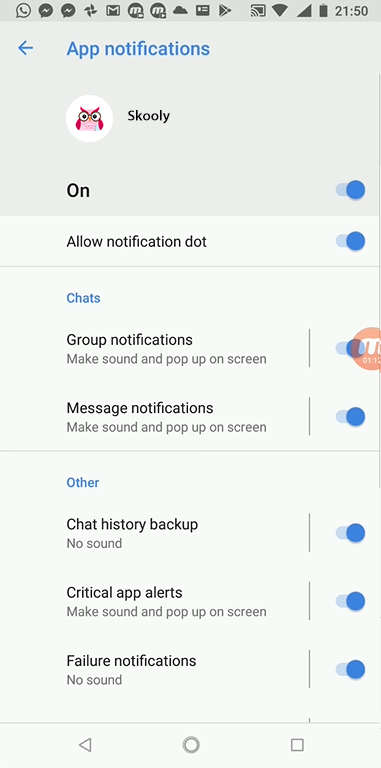
Step 5: Make sure the top toggle for the notifications is ON

Step 1: Go to "Settings"
Step 2: Now go to Apps and Notifications
Step 3: Click on Skooly
Step 4: Click on "App Notifications"
Step 5: Make sure the top toggle for the notifications is ON
Comments
0 comments
Please sign in to leave a comment.